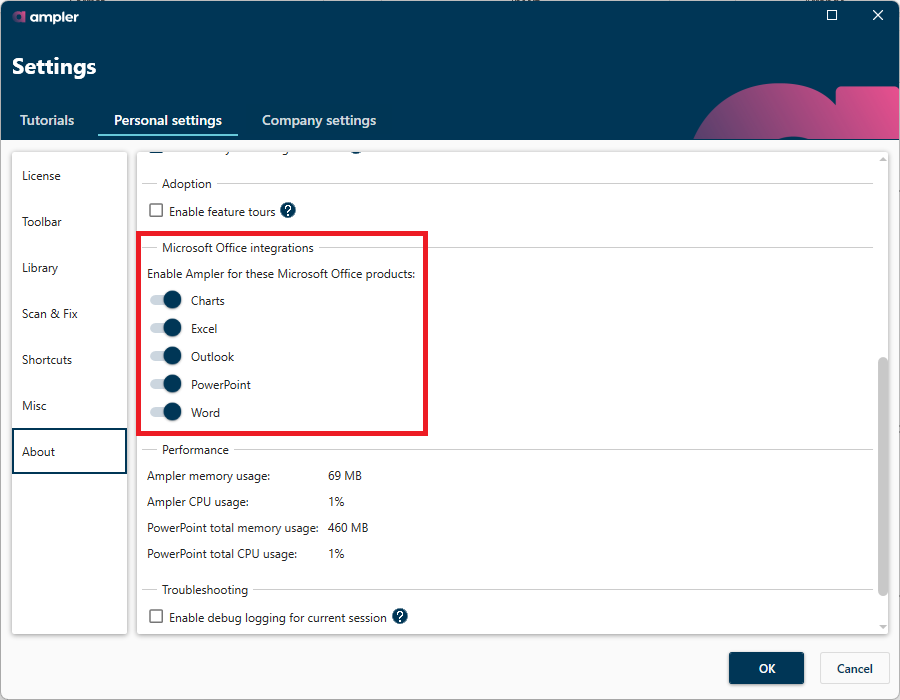
In order to disable Ampler in a specific Office program without uninstalling Ampler entirely, you can navigate to Ampler > Settings > About. Then detoggle next to the Office application that you wish to disable Ampler for. Like shown on the screenshot below.
Please note that if your IT department has installed Ampler for you, then you may not have access rights to disable Ampler in any Office application. In that scenario, please reach out to your IT department and have them follow this guide: https://ampler.io/guides-and-tutorials/deployment-guide/#modify-ampler-after-deployment