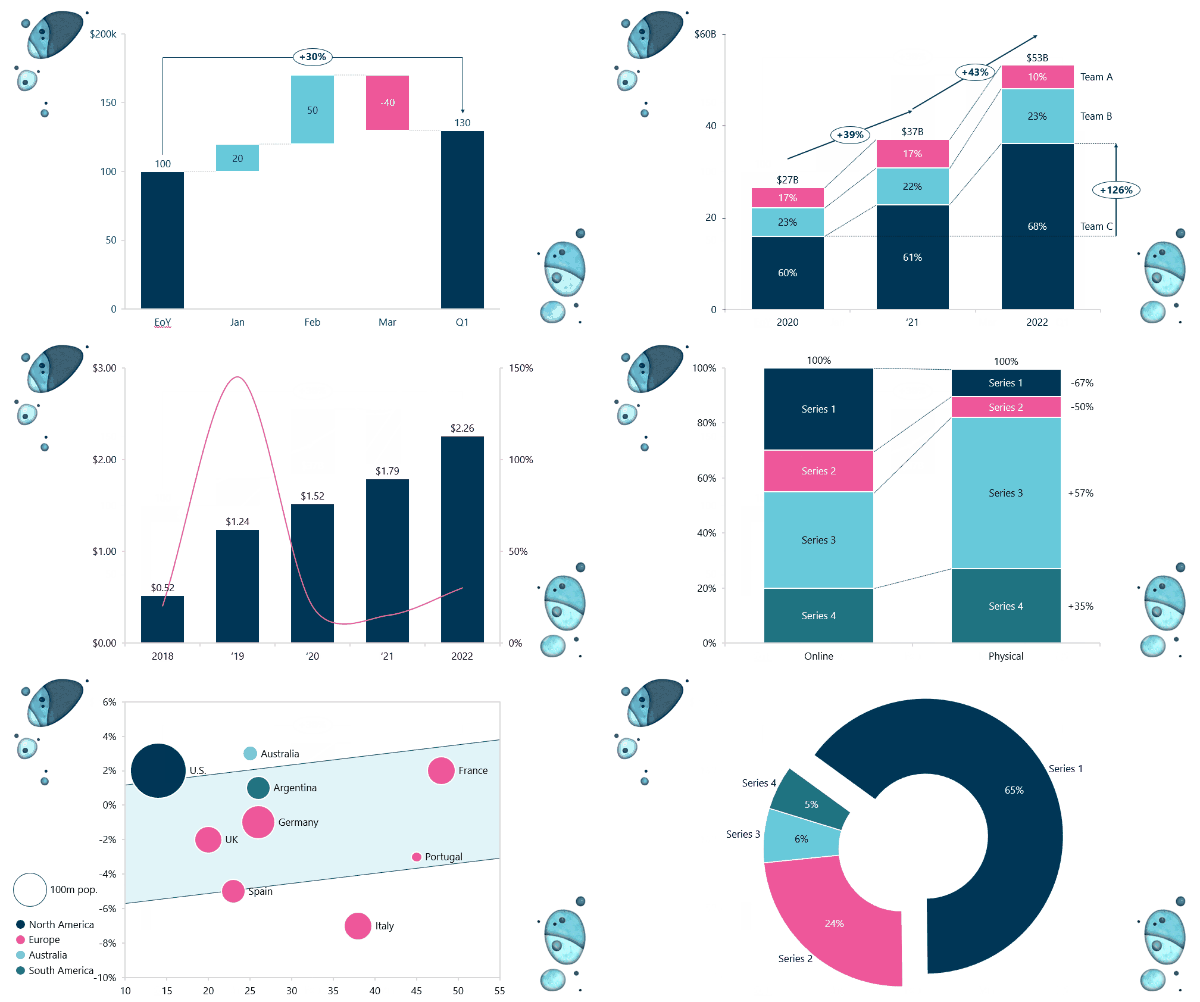
Meticulously applying your preferred style to a PowerPoint chart can consume large amounts of time. Benefit from a generous selection of intuitive tools that makes the addition of decorators such as CAGR and the formatting of axes, legends, titles, colors, lines, fill, spacing etc. delightfully easy.
Read more
Applying the same formatting every time you create a new chart is tedious and often frustrating. ‘Save chart layout’ lets you save your favorite chart designs, enabling you to create beautiful charts with a single click.
Read more
Charts are graphically powerful tools for communication, but some of the more intricate charts are not supported by native PowerPoint. Ampler provides you with a multitude of chart types, ready to insert with your own predefined design, increasing your flexibility in conveying insights and visualizing data.
Read more
Consistency in the visual appearance of charts is at the heart of professionalism but is notoriously difficult to attain. ‘Company settings’ enables you to customize chart themes to your company’s brand, look, and feel. Themes are published with a click and can be switched seamlessly ensuring full flexibility both internally and when working with clients.
Read more
Being able to use all your hard built, saved charts from successful presentations is essential. Ampler Charts seamlessly converts native Excel and think-cell charts, ensuring that you benefit from all your previous accomplishments and that migration is straightforward. Client-side editability is retained, guaranteeing smooth collaborations.
Read more
An easily accessible, modern interface is of the utmost importance for the usefulness of a software solution. Ampler features engaging in-app tutorials, lots of drag’n’drop functionality, and is transparently simple to use. Continuous development and attention to detail is at our core, causing Ampler to benchmark better than alternative software. And our Excel links are obviously rock-solid!
Read more

Yes. You can create, edit, and customize Gantt charts and save Gantt chart layouts.
Gantt, mekko, 100 % mekko, waterfall build-up, waterfall build-down, stacked column, 100 % stacked column, clustered column, stacked bar, 100 % stacked bar, clustered bar, scatter, bubble, line, stacked area, 100 % stacked area, pie, doughnut, and combination charts.
Yes, Ampler is a 1 to 1 alternative to think-cell and covers all the same functionality.
Ampler is cheaper than alternative add-ins such as think-cell.
Ampler has a lower per-user annual cost than think-cell.
Yes, think-cell charts and native excel charts can be directly converted to Ampler charts with a single click.
Yes, Ampler features a modern and intuitive interface with lots of drag-n-drop functionality and easy access to most used features. Also, Ampler’s toolbar is customizable, and you can set your own shortcuts, ensuring that the solution is tailored to your way of working.
Yes, Ampler is regularly updated and new features are continuously added. Updates roll out silently with no hassle for the user.
Yes, Ampler provides free ongoing support and extensive assistance with onboarding and setup of the solution. If needed, we set up a pilot group to test and tweak the solution prior to roll-out to the entire organisation.
Charts created with Ampler remain fully editable client-side, even if Ampler isn’t installed.
Yes, we offer a 30 day free trial with all functionality included and if you are interested in acquiring more than 10 seats, we also offer a customized demo with one of our consultants.
Yes, our Excel links are rock-solid!