How To Create a Key Takeaway Slide Like a McKinsey Consultant (With Examples)
In this article, we’ll go through one of the most important parts of a consulting presentation: The Key Takeaway slide.
We’ll explain what key takeaways are, how to effectively communicate them and how to create key takeaways slides like a top-tier consultant. Remember, consultants are masters at delivering actionable insights with clarity and impact, making their presentations an excellent source of inspiration for your own deliverables, regardless of your profession.
What Are Key Takeaways?
Let’s start from the beginning what even are key takeaways?
Key takeaways, in a general sense, are the main or key points from your presentation that the audience should remember. However, in consulting, the concept has a slightly different purpose.
Here the key takeaways are the most important conclusions drawn from prior analysis. Their purpose is to help the client understand the most significant findings and their implications without needing to review all the finer details of the report.
Key takeaways provide clear answers to the questions the project set out to address and translate insights into actionable recommendations to address real-world business problems.
The Purpose of the Key Takeaway Slide
A key takeaway slide summarizes the most important insights from the analysis in a precise and impactful way. It helps clients and stakeholders quickly grasp the essential findings without needing to review all the details. Typically, key takeaways highlight the most critical information that forms the basis for strategic recommendations.
Some slides include a takeaway box. Which is a small box on a slide that highlight the most important information on the given slide and not the entire presentation.
Where in the Presentation Should You Use a Key Takeaways Slide?
Key takeaways slides should be used when you need to summarize key points. They are often placed at the beginning or at the end of the presentation. Sometimes they are placed before or after major sections of the slide deck to highlight the key takeaways from that section.
A good tip is to include a key takeaway slide in every section while drafting the deck. This ensures each important point is covered and that the section supports the key insights without unnecessary detail. If some key takeaway slides feel redundant in the finalizes version, they can be removed after the section they summarize has been written.
Key takeaway slides can be paired with recommendation slides. The key takeaway slide summarizes the insights from the analysis, while the recommendation slide translates those insights into actionable solutions for the business.
In the following section, we will showcase examples from renowned consulting firms such as McKinsey, Bain, and BCG.
Examples of Key Takeaway Slides by McKinsey, Bain & BCG
Key takeaway slides come in various varieties, with a simple text slide with bullet points among the most common. Regardless of format, a great key takeaway slide should provide a concise summary of the most critical insights.
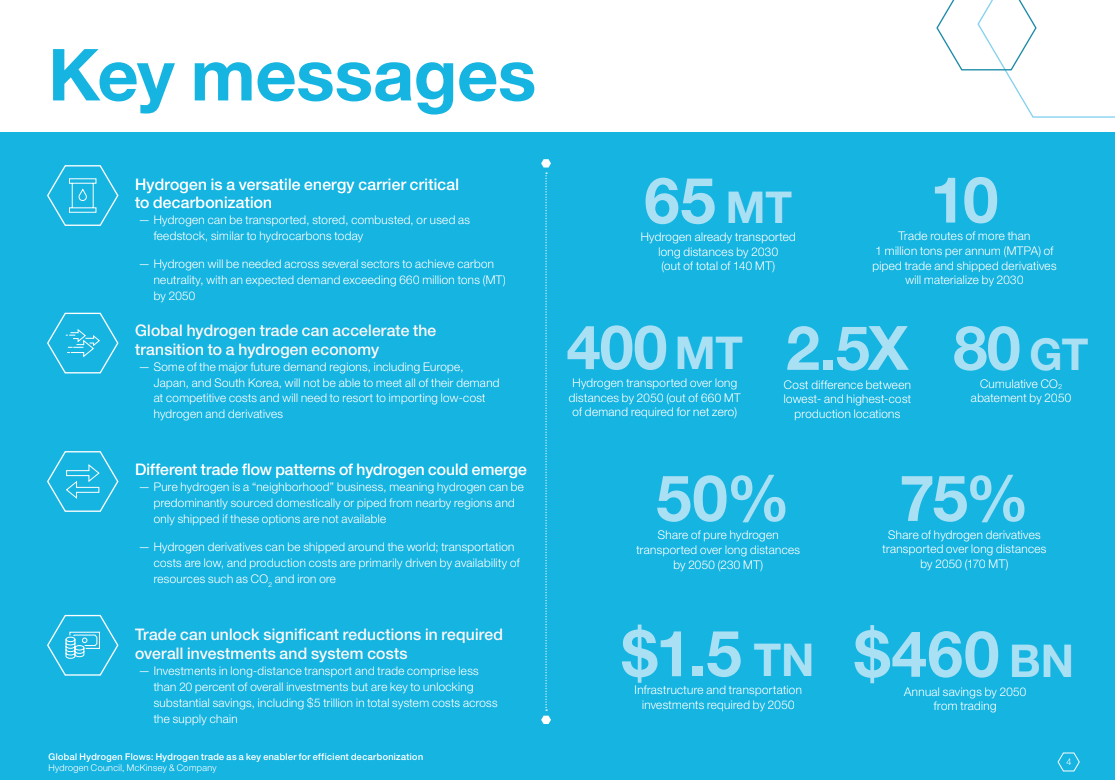
In our first example from a McKinsey PowerPoint slide deck, the analysis explores how hydrogen will transform the broader energy industry.
The slide organizes the key takeaways (referred here as “key messages”) into four main categories, each with supporting text elaborating on their implications. Instead of numbering them, McKinsey uses graphical elements to structure and order the messages.
On the other side of the slide, relevant data supporting the key takeaways are highlighted providing evidence of their significance. What makes this slide effective is its native flow, combining high-level insights that imply action with striking evidence from data, enabling the audience to quickly grasp the scale of impact.
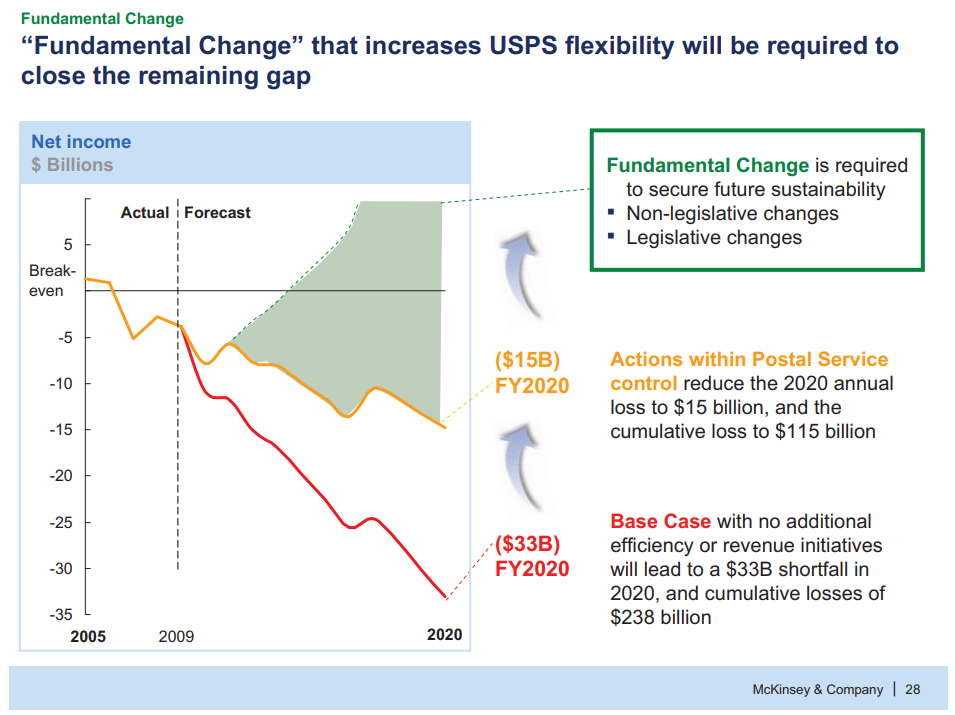
In another example, from a McKinsey project presentation on the future business model strategy of USPS, the slide takes a very different approach.
The slide features a clear action-oriented title that emphasizes the need for fundamental change at USPS. The title effectively summarizes the main takeaway of both the slide and the overall project. The line graph clearly illustrates the potential consequences of implementing the proposed strategy. Additionally, the use of RAG (Red-Amber-Green) indicators visually highlights the business risks if no strategic changes are made.
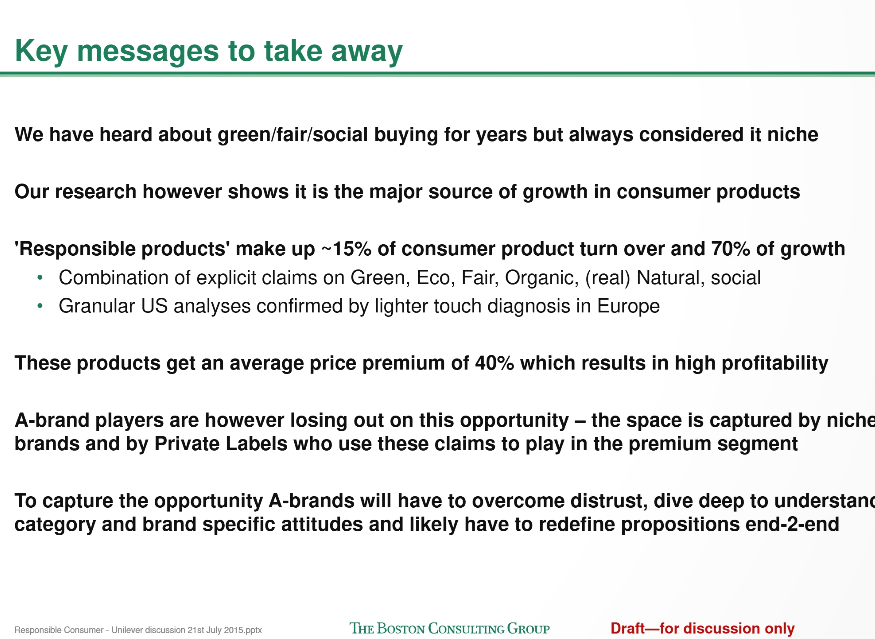
A key takeaway slide can also have a simpler structure, as discussed earlier. In this BCG example project for Unilever, focused on “responsible” consumers, the slide is a straightforward text slide listing the most significant key points from the analysis.
Although lacking graphical flare, it still effectively functions as a key takeaway slide by clearly highlighting what is important, while the following slides provide additional context, data, and visualizations.
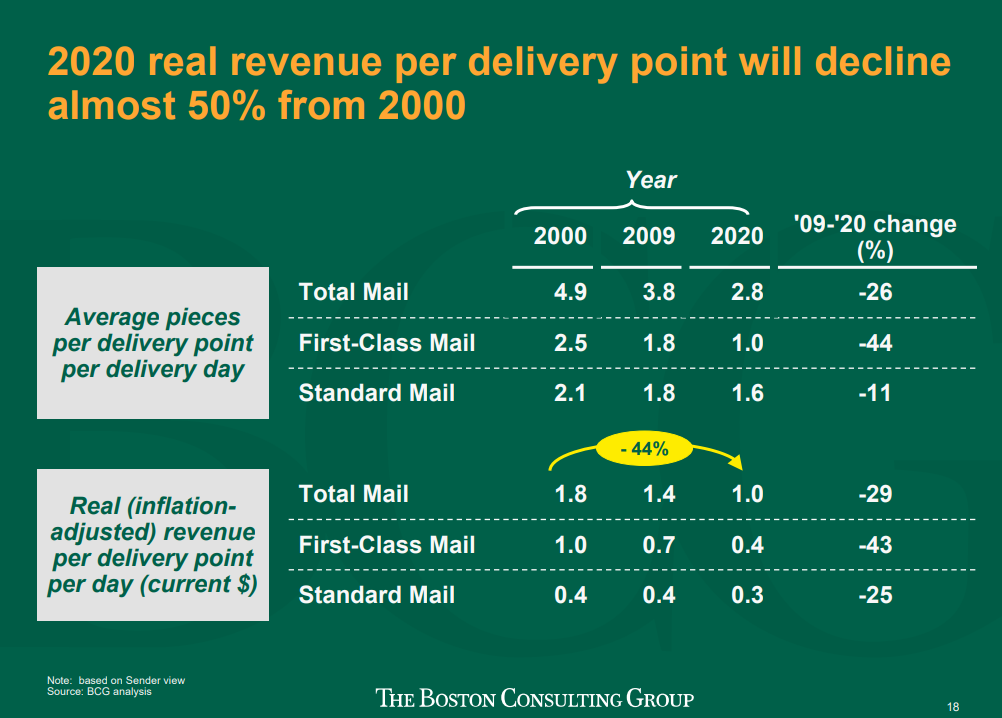
In one final example from BCG on the future of the U.S. Mail service, the key takeaway is captured as a single action-oriented title paired with one main point, as shown below:
The action title delivers a clear and insightful conclusion: revenue per delivery is projected to decline by 50%. This makes the slide an effective key takeaway, as it immediately it immediately conveys the central message while implicitly underscoring the urgency for action.
The following slide, which presents a 3×3 matrix, reinforces this message by showing that mail volume is expected to decline across all scenarios. For example, the supporting text highlights that communication channels are expected to continue shifting toward digital formats.
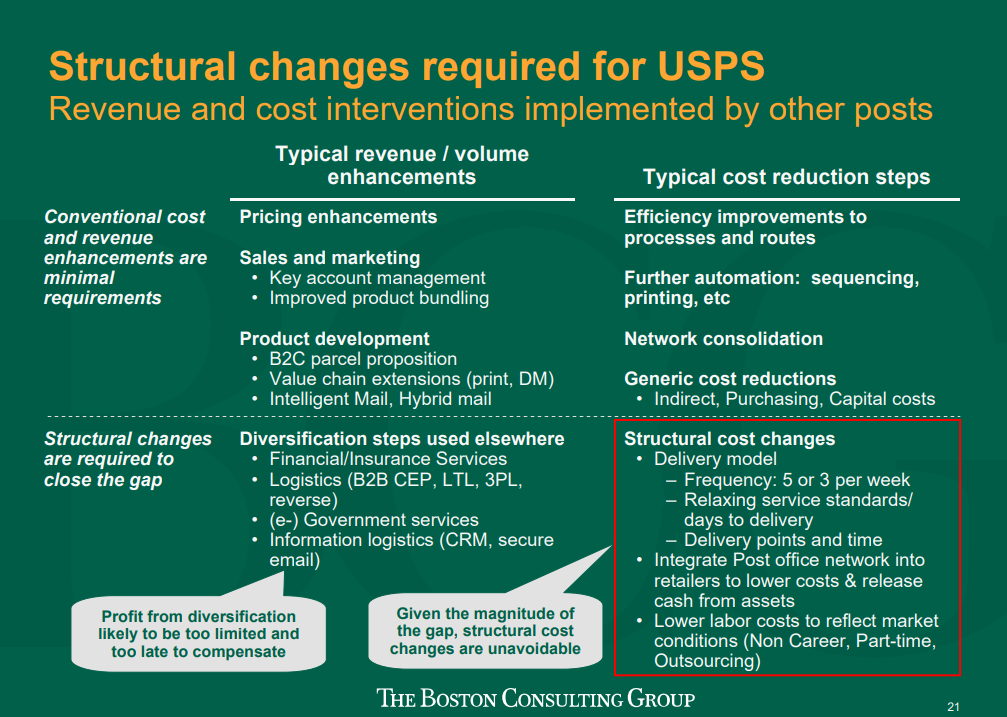
What follows are the next steps U.S. Mail needs to take to change its trajectory: structural changes. The slide below lists key objectives the organization can pursue to pivot its strategy.
This is an example of a classic consulting slide deck structure, where the key takeaways precede the recommendations and next steps.
How to Write a Key Takeaway Slide From Start to Finish
But how do you create a strong key takeaway slide? Let’s walk through the steps.
Step 1: Outline objectives
The first step is to clearly define the questions your presentation is meant to answer. Next, identify the key takeaways your analysis provides. Remember, in consulting key takeaways are insights that lead directly to action-oriented recommendations the organization can implement. It’s important to note that insights should be genuinely meaningful, revealing something new and significant.
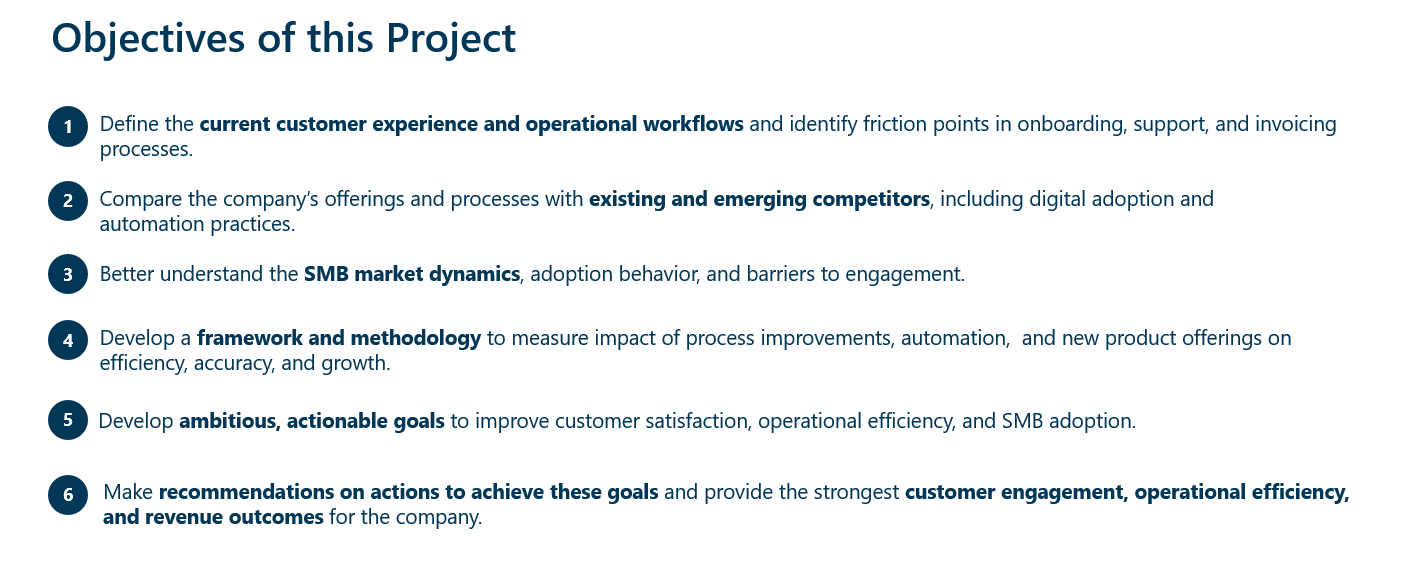
Let’s use an example from a project for a hypothetical mid-sized B2B SaaS company. Here the client and consulting company outline the objectives of the project:
Step 2: From Objectives to Key Takeaways
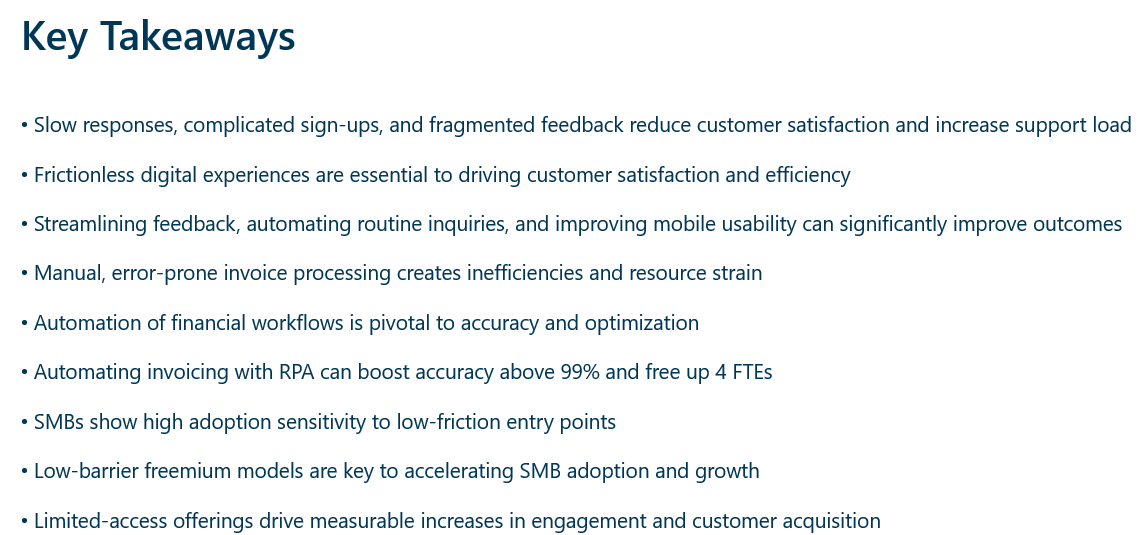
The main question this project aims to answer is how to improve the company’s customer experience, enhance operational efficiency, boost SMB adoption, and deliver actionable recommendations.
After clarifying the objectives, write down the insights the analysis has revealed. These will become more specific as you go through the steps but be sure to focus only on key insights with significant implications.
Step 3: Group the Key Takeaways
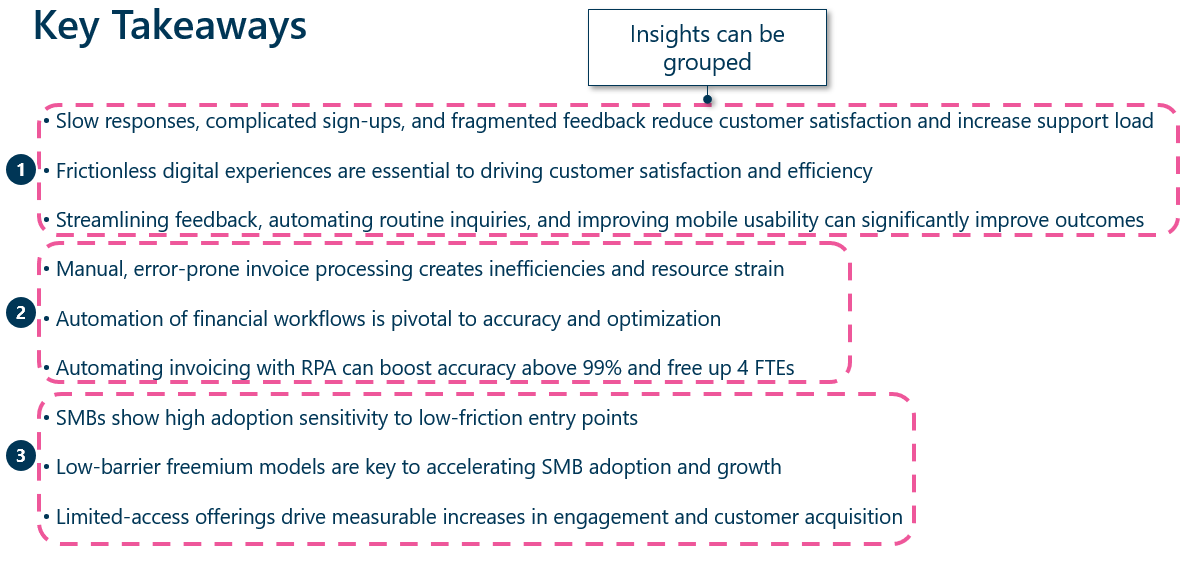
Now, group the key takeaways into main bullet points, combining any overlapping points or removing less relevant ones. Organize them either by importance or in the same order as your slide deck to ensure clarity and a logical flow.
Keep in mind the “Rule of 3” principle, which suggests that your key points should be exactly three – no more, no less. Applying this concept helps keep the slide concise by eliminating filler and focusing only on the most important information. It also ensures that your audience can easily grasps and remember the core key takeaways from the analysis. We have grouped the former key takeaways together into three overall key takeaways using this principle.
Step 4: Make Takeaways Concise and Add Graphics
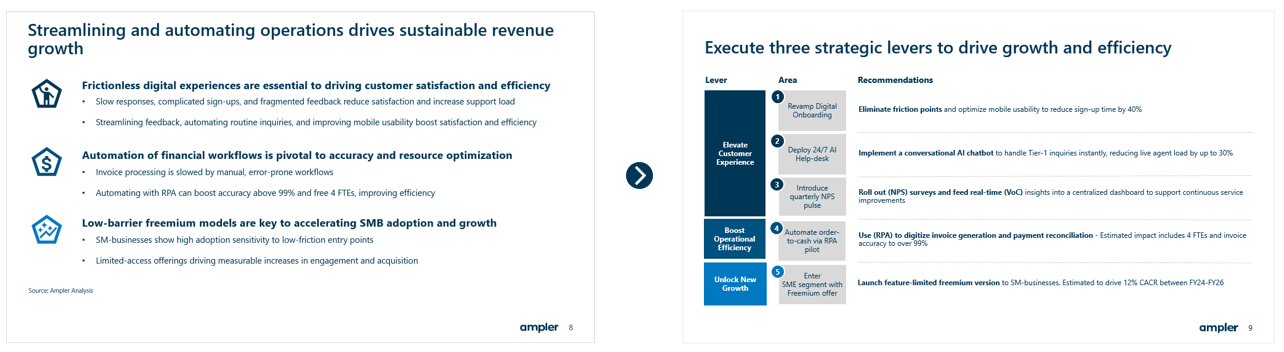
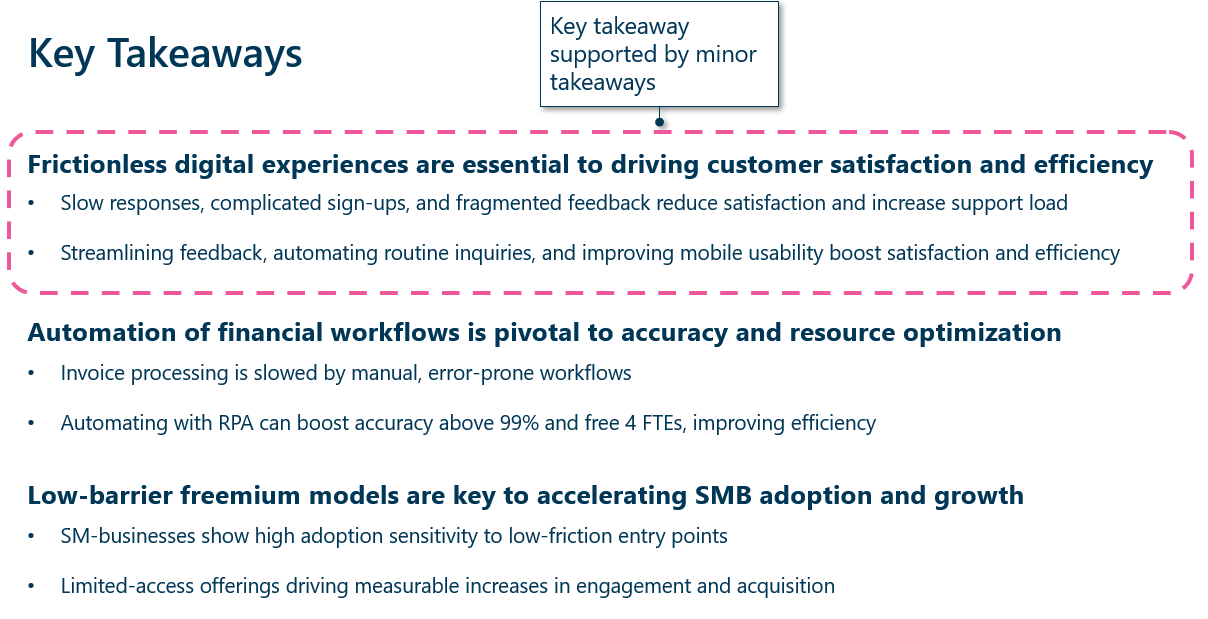
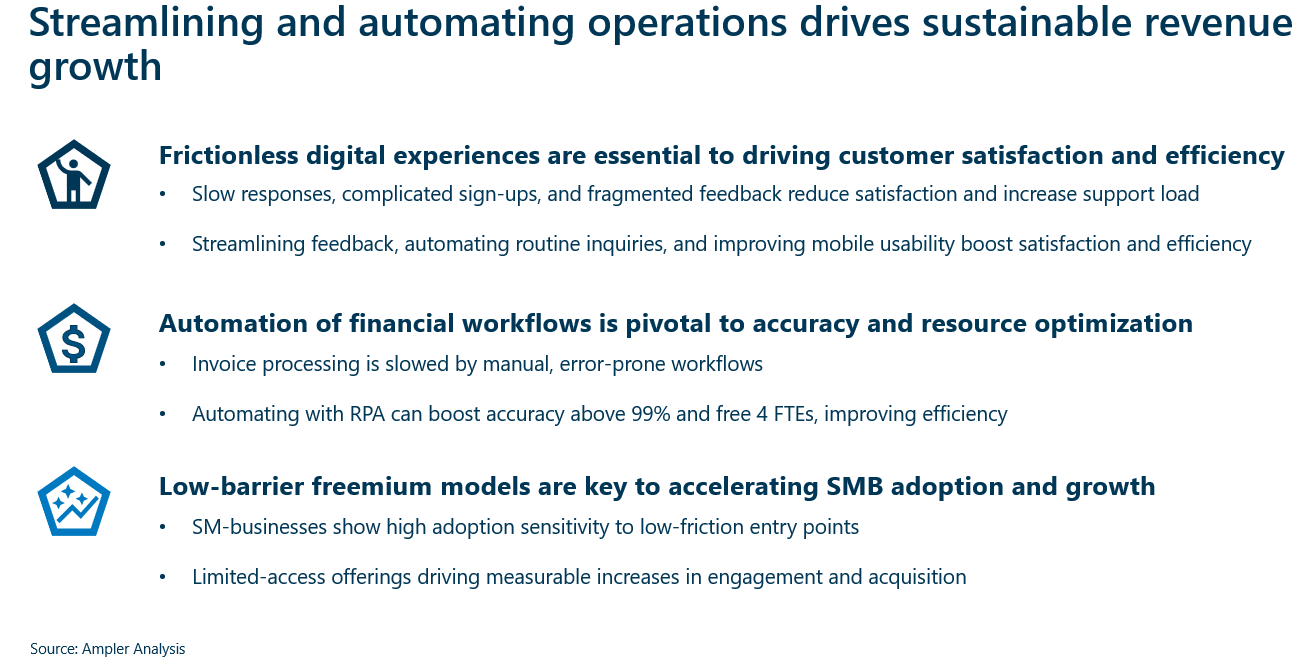
After grouping, begin rewriting them, making each as short as possible while still maintaining its meaning. You can structure them as a primary key takeaway supported by minor takeaways for clarification, as seen below:
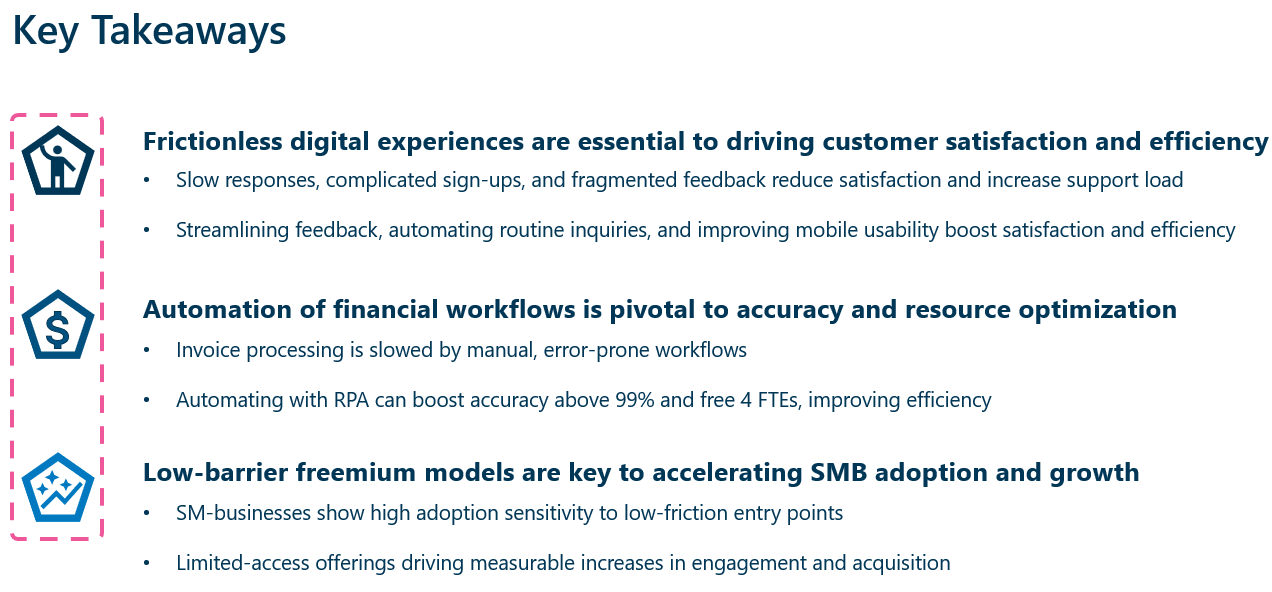
To make the slide more digestible, you can add graphical elements to enhance its visual appeal, as shown in the example below. However, always ensure the slide remains simple. As an alternative to graphical elements, you can also number the key takeaways to make them easier to follow within the broader slide deck.
Step 5: Create an Action-Oriented Title
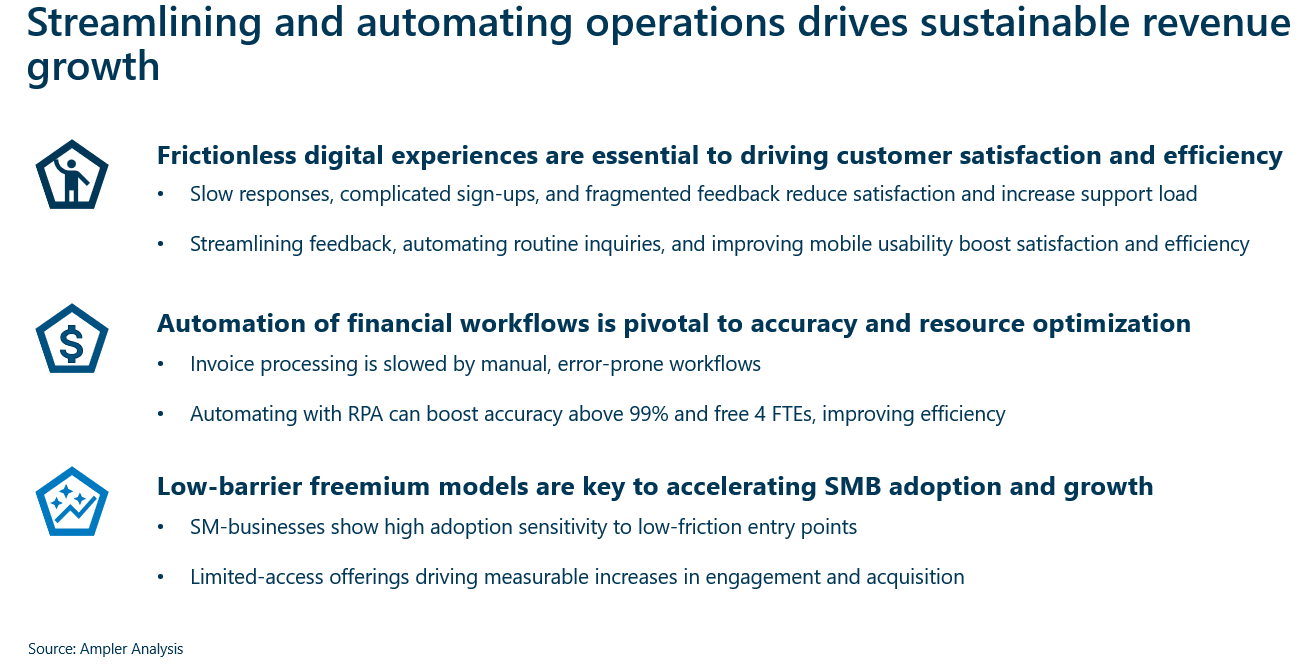
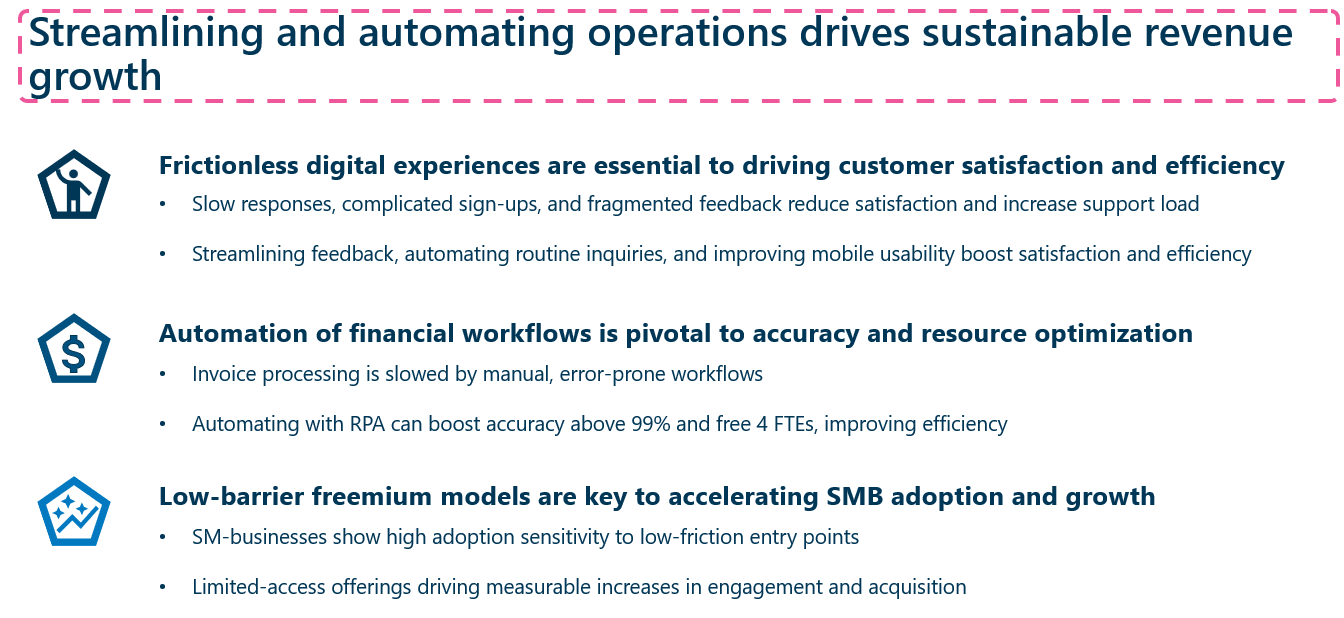
Finally, use an action-oriented title to convey the key insight. Make it stand out with concise, impactful wording. For example: “Streamlining and automating operations drives sustainable revenue growth”. This ensures the audience grasps the main point directly from the title itself.
One final important point: When finishing with the final slide deck, ensure the key takeaway slide alone distils the outcome of the project or project section.
There you have it – a clear, concise, and impactful key takeaway slide.
Get Ampler’s PowerPoint Slide Templates
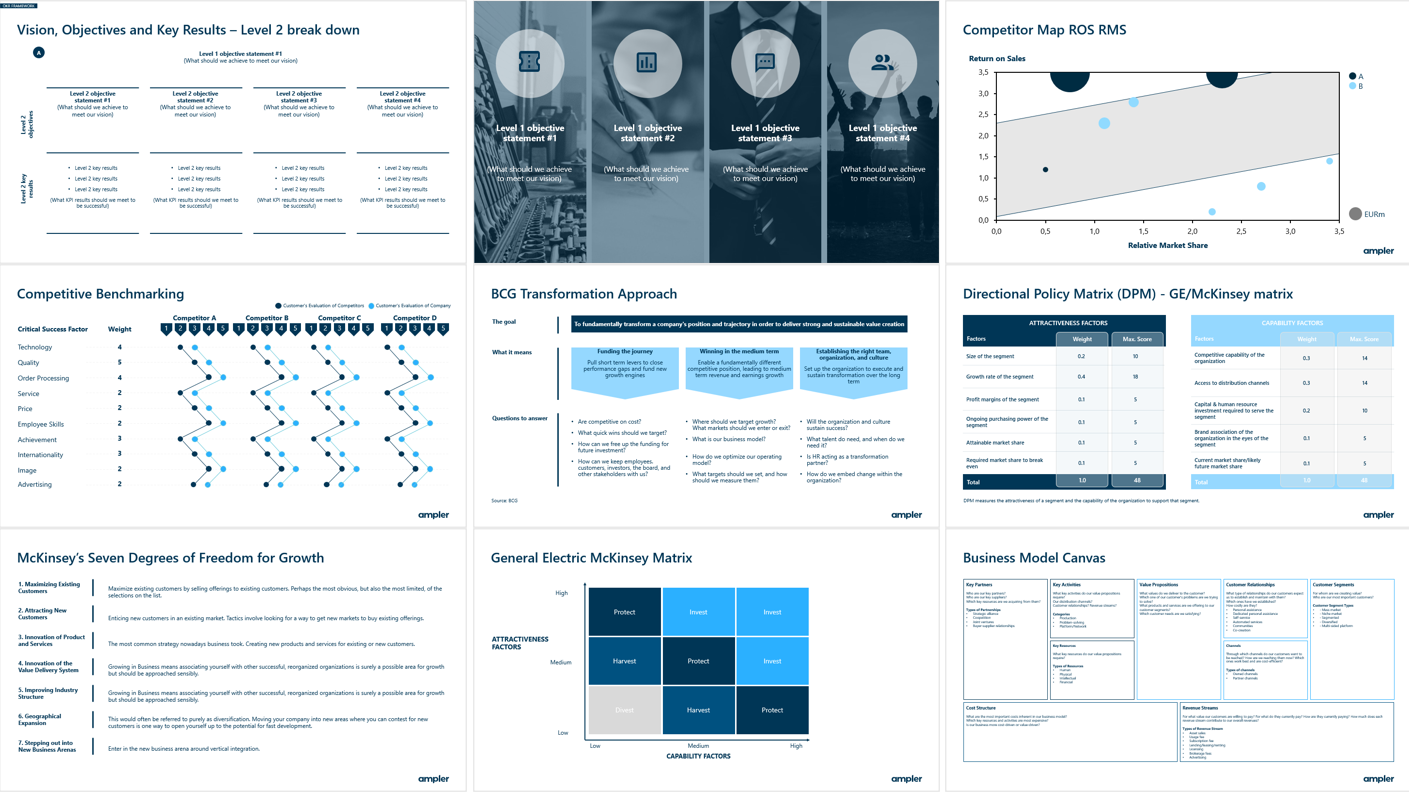
Creating PowerPoint slides from scratch takes time. With Ampler, you get access to a library of slide templates, including key takeaways, next steps, strategic frameworks, and more.
In total, Ampler contain over 200 custom-made PowerPoint slide templates, all of which can be adapted to your corporate branding. Whether you are a consultant, project manager, marketer, or in another profession, Ampler’s templates help your team streamline work, save time on formatting and slide creation.
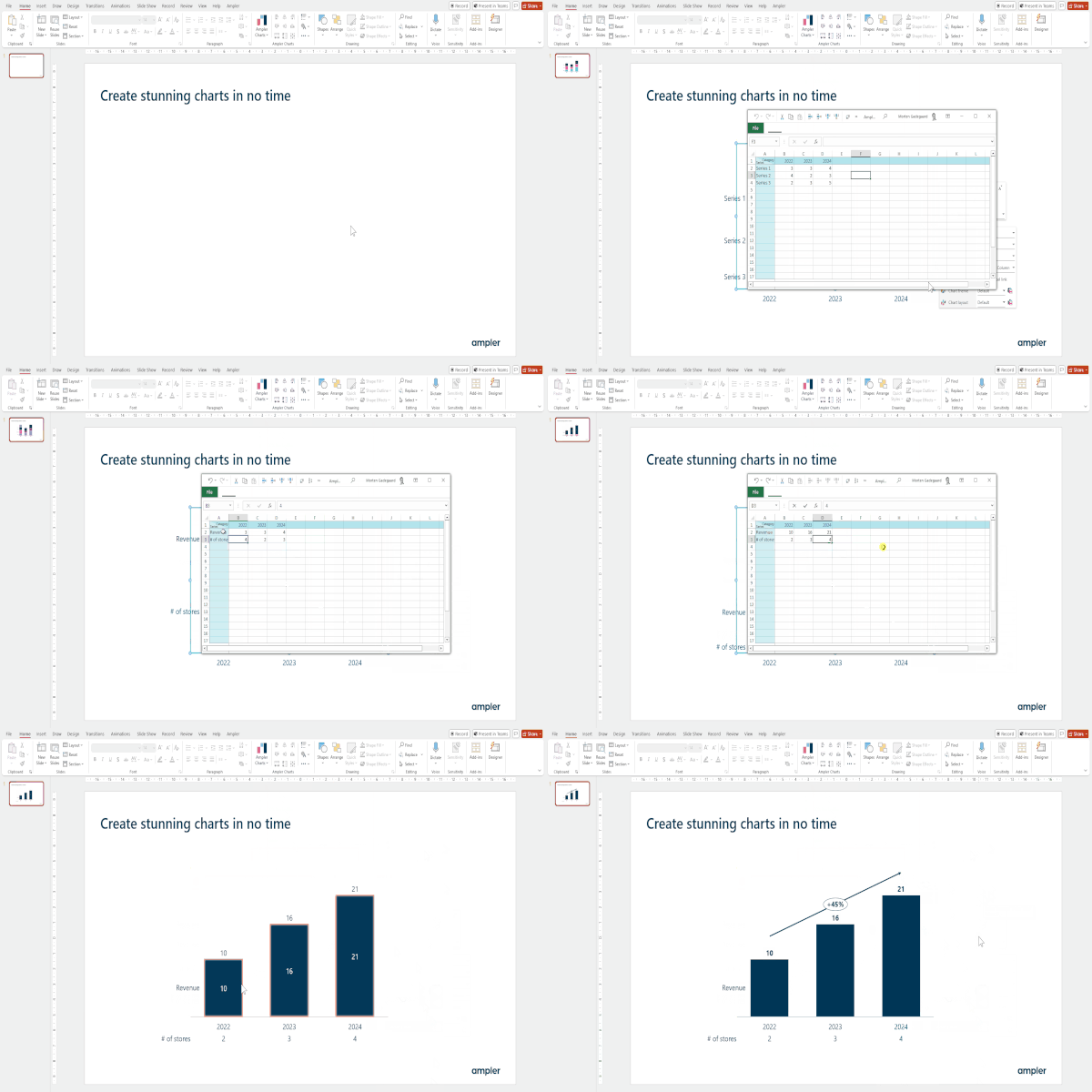
But that’s not all! In addition, Ampler offers an integrated charting tool designed to enhance your PowerPoint presentations.
Ampler Charts enables you to create fully customizable charts with flexible layouts, icon integration and versatile formatting options in matter of minutes. The tool includes non-native PowerPoint charts including Mekko, Gant charts among others.
Are You a Student? Get a 12 Month Free Subscription
If you are a student you can also get a 12 month trial simply by providing your university email on this site: Academic program – helping you stay prepared, improve your presentation and training for corporate life after university.
Want to try Ampler? Get a Free Trial Here
If you aren’t a student, you can still get a one month free trial to save time creating charts and slide decks by using your business mail and filling this form: Try Ampler for free
For more ideas for creating a memorable presentation, see our related articles documented on this page here: Ampler Articles
This website uses cookies in order to improve the user experience. When you continue to use this site, you accept the use of cookies. Read more about our cookie policy here.