Unlock McKinsey-level PowerPoint productivity with Ampler | Exclusive 12-month free offer for McKinsey Alumni
Are you a former McKinsey consultant who misses the speed and precision of McKinseys Marvin Tools? You’re not alone—and you’re in luck. Ampler is a powerful productivity add-in built by ex-consultants, designed to replicate and enhance the features you love.
Ampler brings all the advanced PowerPoint features you know from your McKinsey toolbox. Built specifically for consultants and strategy professionals, it helps you work as smart and fast as when you were with McKinsey.
Here is what Ampler looks like:
12-months free subscription for Ampler Suite to McKinsey alumni
We have teamed up the McKinsey alumni to offer Ampler to all former McKinsey employees. To start your 12-months free subscription for Ampler Suite go to the McKinsey alumni page and sign-in. Then go to Resources -> Alumni Perks Program and find Ampler. You will be redirected to our sign-up page where you will find instructions on how to download Ampler and get started.
PowerPoint shortcuts you already know
When signing up through the Alumni Perks Program Ampler comes preconfigured with all of the shortcuts you know by heart i.e.
Action
Shortcut
Make Same Size
Alt+Z
Make Same Height
Ctrl+Shift+E
Make Same Width
Ctrl+Alt+E
Insert Textbox
Alt+Q
Align and Group
Alt+G
Copy Position
Ctrl+1
Paste Position
Ctrl+2
Normal View
Ctrl+3
Slide Sorter View
Ctrl+4
Fit to Window
Ctrl+5
and more than 50 more
Quickly insert Marvin tables and add your content from Excel
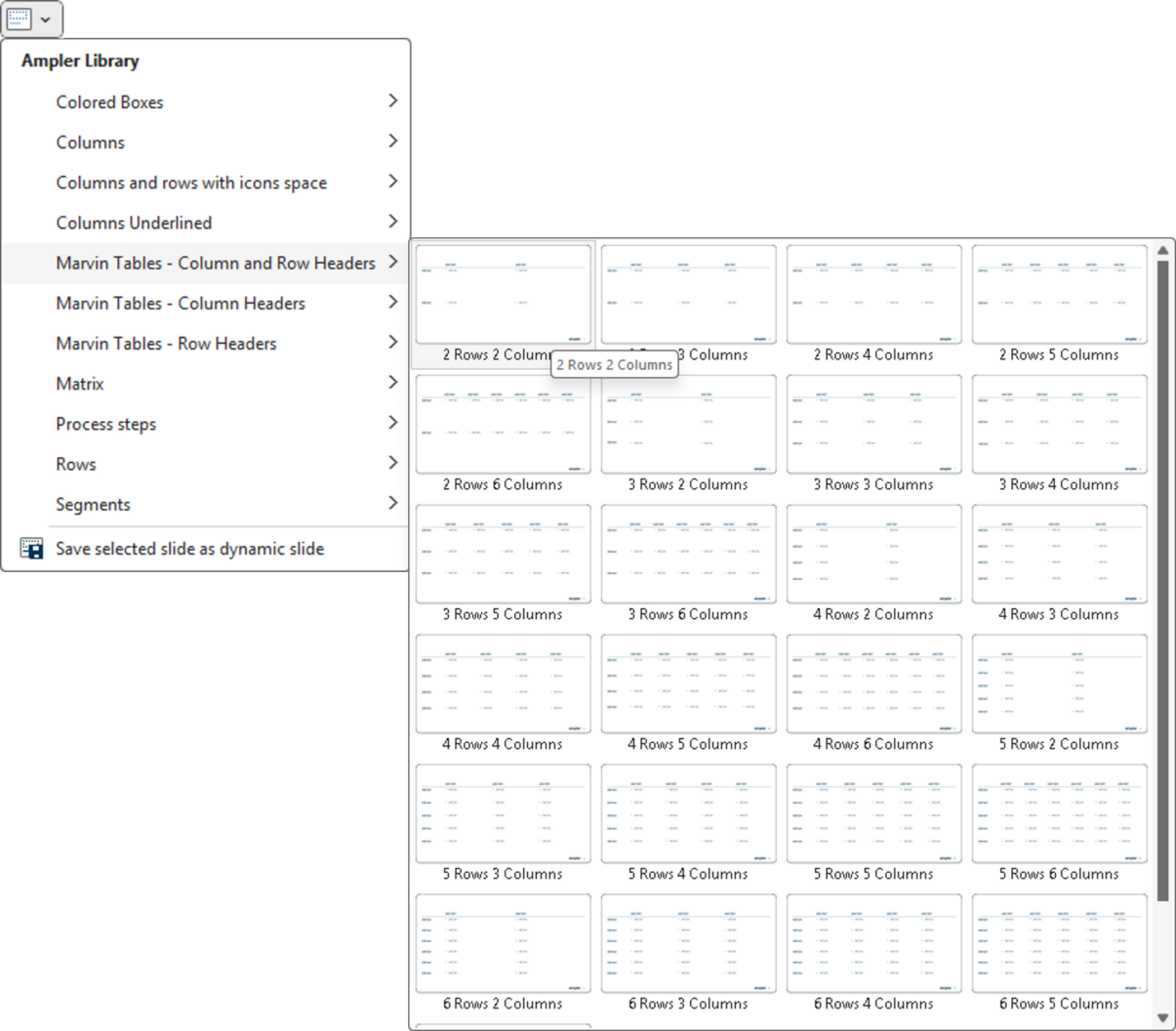
Ampler comes with functionality to easily insert Marvin tables. See the Insert group in the ribbon. Best part is, that Ampler Marvin Tables are dynamic. If you want to change from 2 Rows 2 Columns to 4 Rows 4 Columns you simply select 4 Rows 4 Columns from the menu, and all your content will automatically be updated to the new layout. In addition Ampler allows you to copy content from a Excel cells and paste it directly into the Marvin tables with Ctrl+V.
Easily visualize data with Ampler Charts
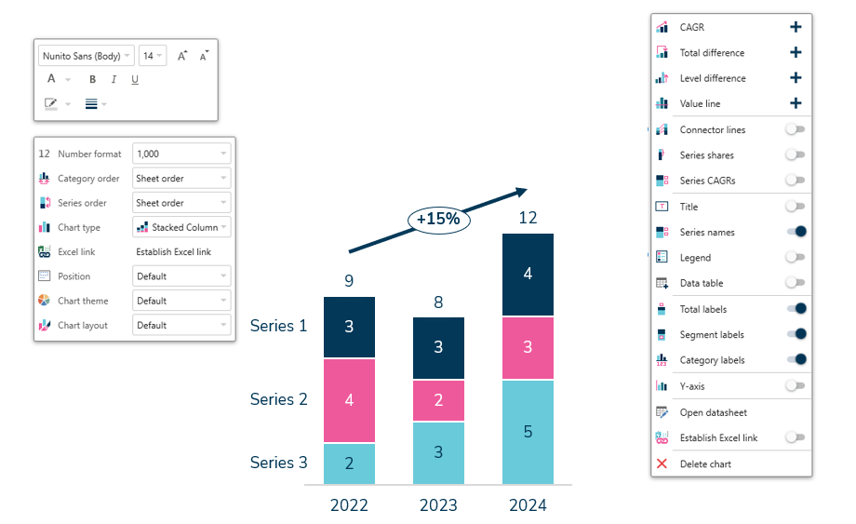
Ampler Charts is a powerful charting tool for consultants, and it is fully integrated into Ampler for PowerPoint and the Ampler suite allowing you to use Amplers arrange, align, and adjust functions work on our charts as well. Here is few high lights:
Over 40 customizable chart types including waterfall, column, bar, line, pie, scatter, Mekko, and combination charts
Effortlessly highlight insights with automated annotations, labels, legends, and decorations such as CAGR arrows and axis breaks
Maintain data consistency through seamless Excel integration and create Gantt charts directly within PowerPoint
Why McKinsey alumni love Ampler
Here’s a selection of the powerful features Ampler provides to streamline your workflow, enhance productivity, and elevate your presentations:
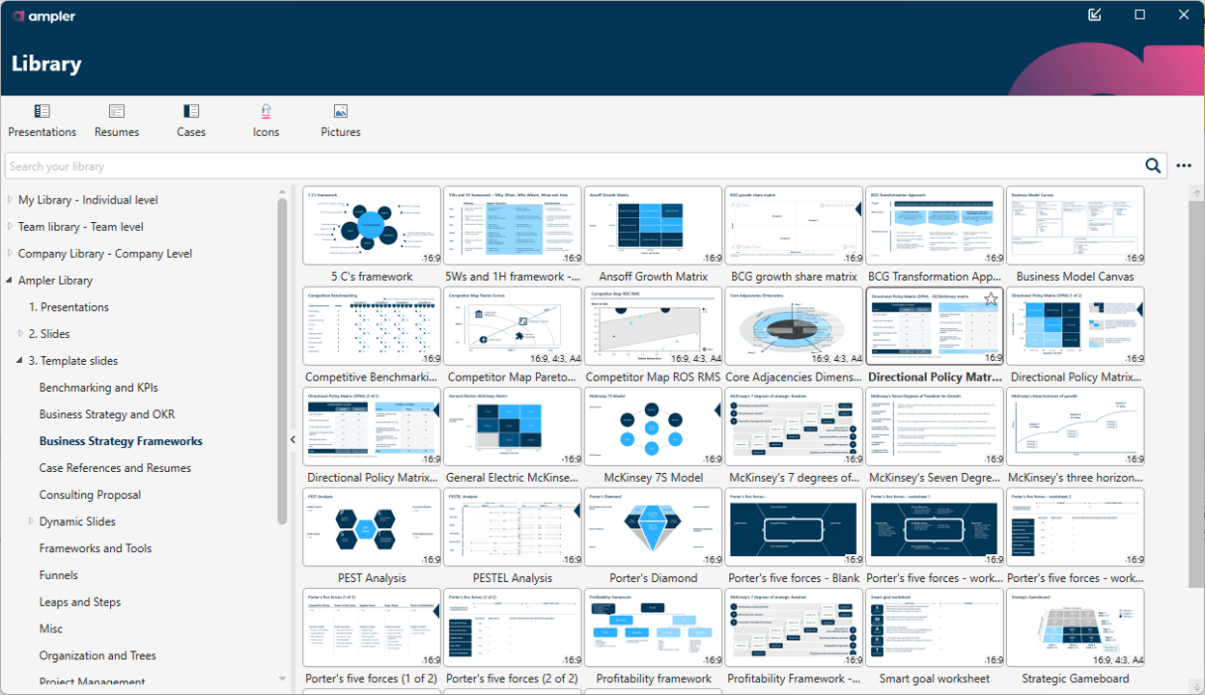
Extensive library for quick content reuse:
Share content seamlessly across your team or organization
Access to 8,000+ items including templates, slides, visual frameworks, editable world maps, country flags, customizable icons, and much more—fully searchable and auto-updating to match your template colors
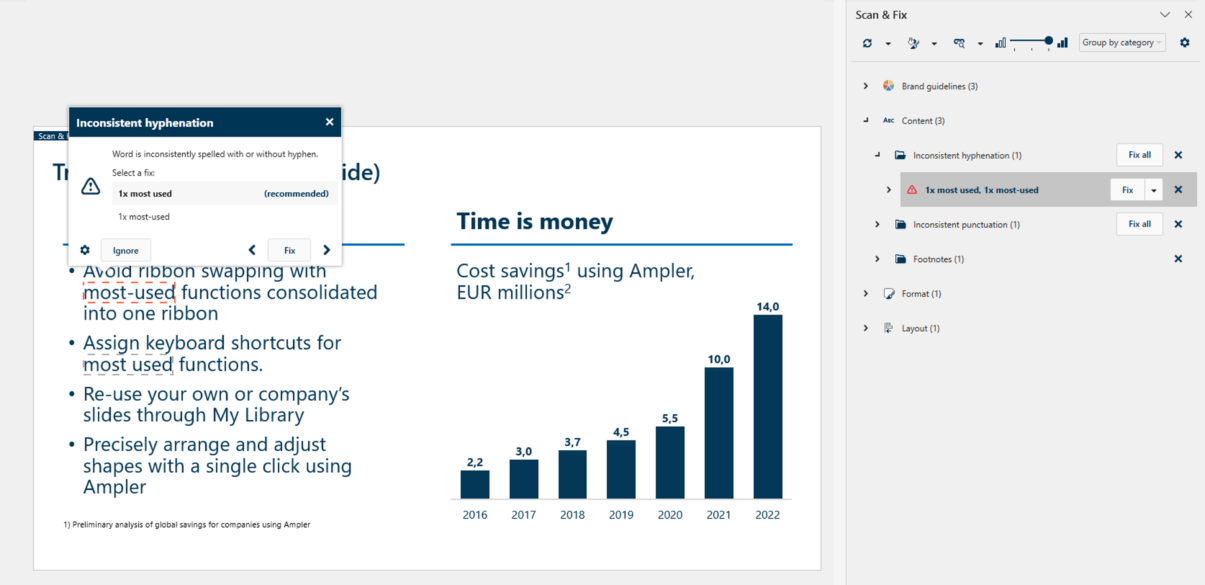
Scan & Fix tool for flawless, brand-compliant slides:
Automatically detect and fix common errors like inconsistent punctuation, footnotes, spacing, hyphenation, and capitalization
Ensure consistency with US/UK wording, brand colors, fonts, and more
150+ Productivity-Boosting Features:
Storyboarding and agenda structuring
Easy alignment, resizing, and formatting tools
Group by row, group by column, and align and group
Straighten lines
Fit text options
Magic select, quick swap positions, preformatted tables and more
Ampler continually evolves based on user feedback, ensuring it remains the most efficient, consultant-focused PowerPoint add-in available.
This website uses cookies in order to improve the user experience. When you continue to use this site, you accept the use of cookies. Read more about our cookie policy here.