Ampler for consultants: PowerPoint and Excel from storyline to client-ready deck
Ampler was founded by former management consultants who spent too many evenings formatting slides and hunting for reusable content. An early version was first used by Nordic consultancies more than a decade ago; their feedback shaped what became Ampler for PowerPoint, Excel, Word and Ampler Charts.
This article follows a consulting deck from the first storyline to the version that goes to the client, and shows where Ampler fits at each step. Every function links to its step-by-step guide.
1. Storyline before slides
Consulting decks are built top down: the storyline and the action titles come first. Storyboard (Ctrl+Shift+E) lays out agenda sections and slides with their tag-lines before anything is formatted, and Agenda (Ctrl+Shift+A) inserts agenda pages that update when the topics change. When the titles are final, Create executive summary turns them into an executive summary slide.
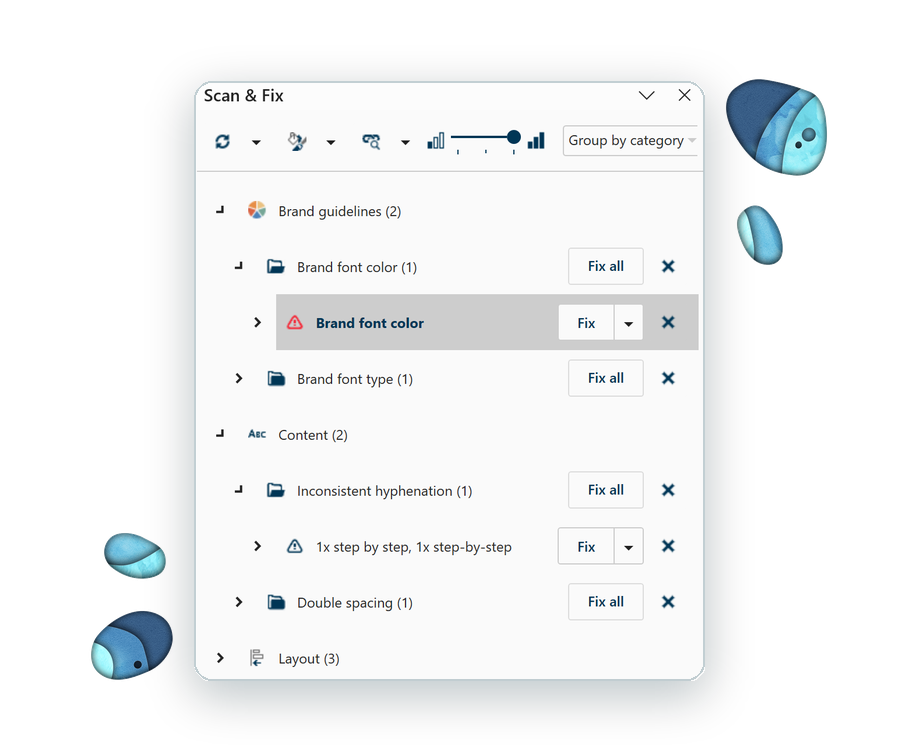
Scan & Fix (Ctrl+Shift+P) checks the deck for issues such as inconsistent punctuation, spacing, hyphenation and capitalisation, US or UK spelling, brand colours and fonts, and fixes them in one pass. Footnotes stay numbered, stamps mark drafts and confidential versions, and backup slides move to the appendix.
7. Sending to the client
Clean removes comments, speaker notes and metadata, and Save As or Email (Ctrl+Shift+S, Ctrl+Shift+X) sends only the selected slides as PowerPoint, PDF or both.
For the firm
Templates, the toolbar and Scan & Fix rules are set centrally for everyone (see template management in PowerPoint, Word and Excel). IT deploys Ampler with a standard MSI installer and manages seats with SCIM. Ampler for PowerPoint costs €18 and Ampler Suite €30 per user per month, with volume discounts from 2 users and a free 30-day trial.
Frequently asked questions
What tools do consultants use to create slides and charts efficiently?
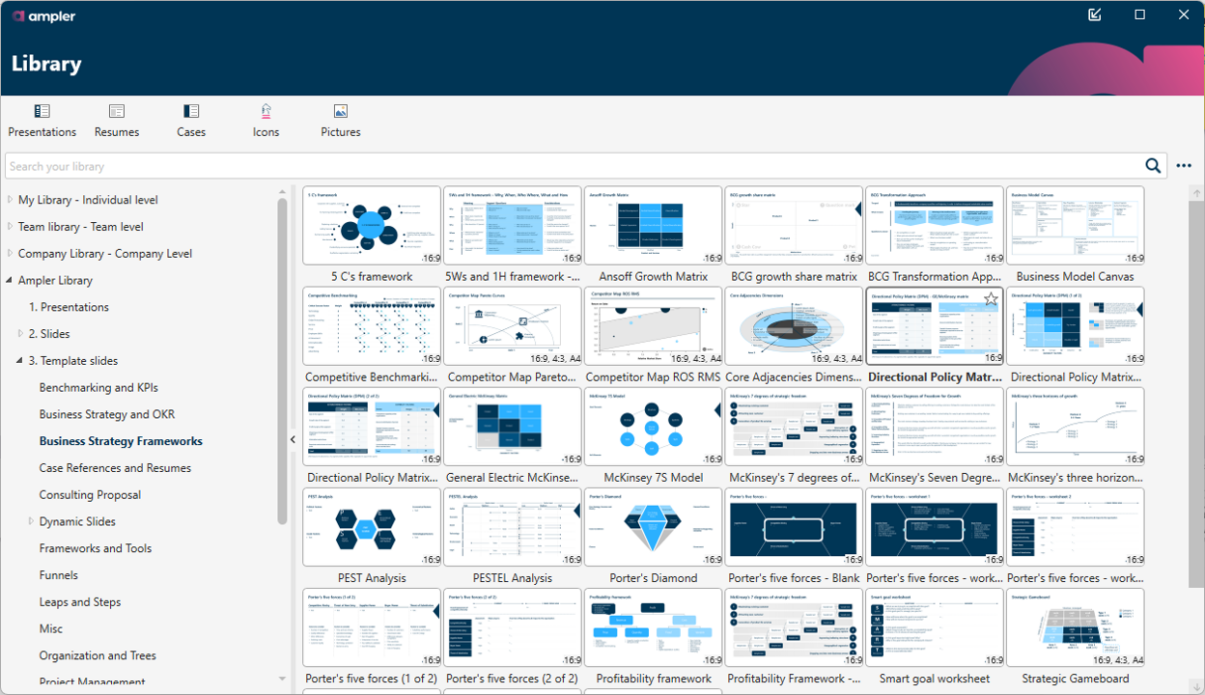
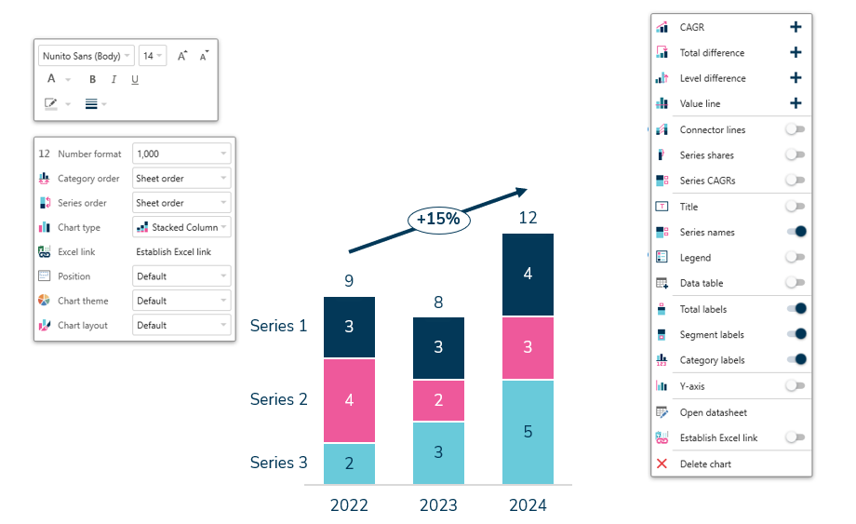
Consulting teams typically combine a firm template and slide library, a storyline tool, a charting add-in for waterfall, Mekko and Gantt charts linked to Excel, and checks that make formatting consistent before a deck is sent. Ampler covers these inside PowerPoint and Excel: Storyboard and Agenda, the Ampler Library, Ampler Charts with 40 chart types, and Scan & Fix.
Which PowerPoint and Excel add-in is built for consulting work?
Ampler was founded by former management consultants and first used by Nordic consultancies. Ampler for PowerPoint and Ampler for Excel cover the consulting workflow from storyline to client-ready deck, and Ampler Suite adds Word and Outlook.
How do consultants keep charts in line with the Excel model?
Ampler Charts can be linked to cells in the Excel model and refreshed from the source, several linked charts can be updated in one go, and tables and single values can be linked the same way.
How do consultants check a deck before sending it to a client?
Scan & Fix checks the presentation for issues such as inconsistent punctuation, spacing, hyphenation, capitalisation, US or UK spelling, brand colours and fonts, and Clean removes comments, notes and metadata. Save As or Email then sends only the selected slides as PowerPoint or PDF.
How much does Ampler cost for a consulting team?
Ampler for PowerPoint is €18 and Ampler Suite €30 per user per month, with volume discounts from 2 users. There is a free 30-day trial with full functionality.